Join our Wildlife Monitoring Team
Report wildlife observations, dead or alive, along US-2 with an easy-to-use smartphone app to help us learn where wildlife crossing structures are needed most!
Monitoring where wildlife tend to cross US-2, or die trying, is essential to understanding how various wildlife species move through the corridor as well as to identifying high risk locations for wildlife-vehicle collisions. By reporting wildlife observations, including both live and roadkilled animals, along US-2 between Browning and Columbia Falls, you contribute data scientists and transportation planners need to determine where wildlife crossing structures or other mitigation measures would effectively improve wildlife movement and safety.
How to Participate
Participating in this community science project is easy to do; all you need is a smartphone! Just download the ArcGIS app and Crown ROaDS survey following the instructions below. Then use the survey to report any wildlife you see, dead or alive, whenever you drive any stretch of US-2 between Browning and Columbia Falls. Thank you for helping to make the highway safer for both wildlife and fellow human travelers!
About the Crown ROaDS Survey
The Crown of the Continent Roadkill Observation Data System — "Crown ROaDS" — is an easy-to-use reporting tool that utilizes the ArcGIS Survey 123 app on any smartphone. The ROaDS survey was originally developed by wildlife biologists and road ecologists in the Greater Yellowstone area, where it has been used to great effect. Now Glacier-Two Medicine Alliance has brought it to Glacier and the central Crown!
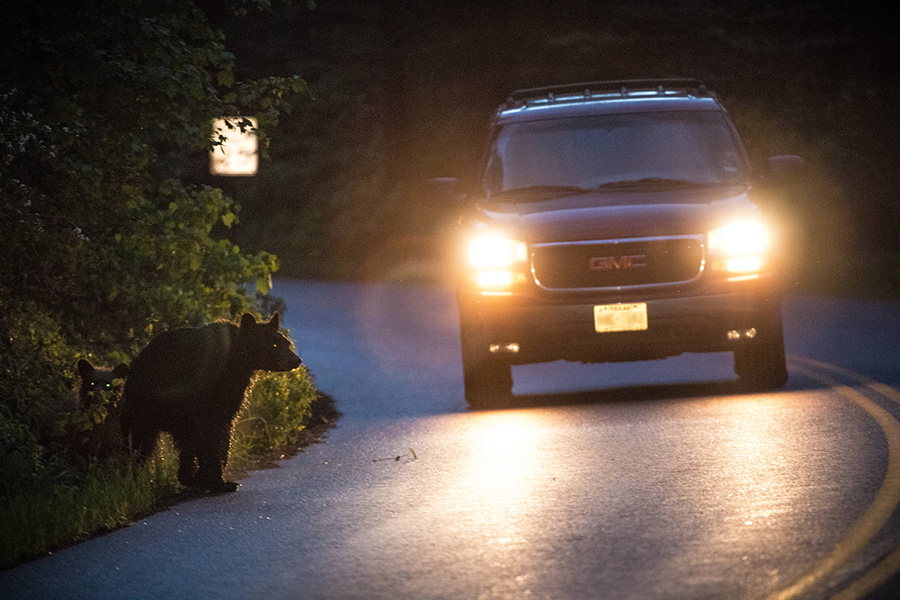
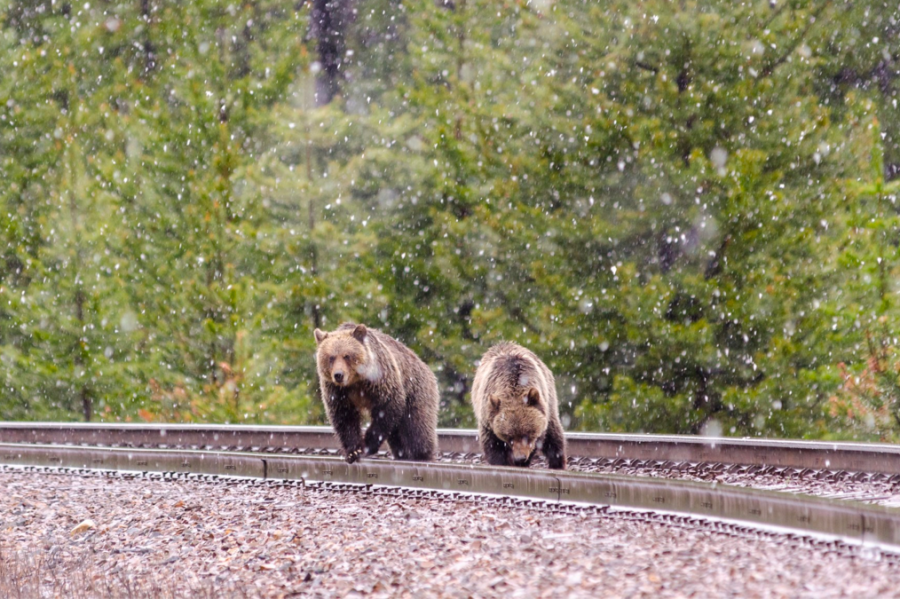
Monitoring where wildlife tend to cross US-2, or die trying, is essential to understanding how various wildlife species move through the corridor as well as to identifying high risk locations for wildlife-vehicle collisions. By reporting wildlife observations, including both live and roadkilled animals, along US-2 between Browning and Columbia Falls, you contribute data scientists and transportation planners need to determine where wildlife crossing structures or other mitigation measures would effectively improve wildlife movement and safety.
How to Participate
Participating in this community science project is easy to do; all you need is a smartphone! Just download the ArcGIS app and Crown ROaDS survey following the instructions below. Then use the survey to report any wildlife you see, dead or alive, whenever you drive any stretch of US-2 between Browning and Columbia Falls. Thank you for helping to make the highway safer for both wildlife and fellow human travelers!
About the Crown ROaDS Survey
The Crown of the Continent Roadkill Observation Data System — "Crown ROaDS" — is an easy-to-use reporting tool that utilizes the ArcGIS Survey 123 app on any smartphone. The ROaDS survey was originally developed by wildlife biologists and road ecologists in the Greater Yellowstone area, where it has been used to great effect. Now Glacier-Two Medicine Alliance has brought it to Glacier and the central Crown!
How to Get the ArcGIS Survey 123 App and Crown ROaDS Survey:
Get the app:
- Go to the App Store or wherever you usually download your apps.
- Search for the free “ArcGIS Survey 123” app and select “GET.”
- Once the app has downloaded, just scan the QR code, and it will prompt you to open the Crown ROaDS survey using the app.

- Now you’re ready to start collecting data!
Remember, Safety First!
- Never use the Crown ROaDS survey while driving. Always find a safe location to pull over before making your report – your safety is the priority!
- Please observe wildlife from a safe distance – at least 25 yards away from most wildlife, and 100 yards from predators like grizzly bears, wolves, and mountain lions.
- Stay alert and follow all traffic laws.
How to fill out the survey form:
1. Download the Offline Map
- After scanning the QR code above, you will see the Crown ROaDS icon.
- Click the icon.
- From that next screen, tap the menu icon in the top right corner and download the offline map.

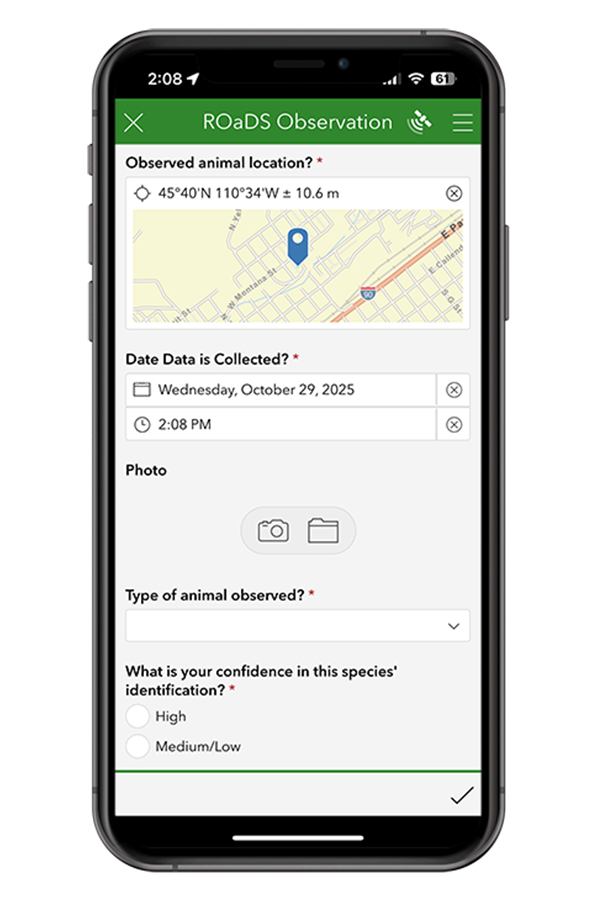
2. Collect Data
- When driving US-2 anywhere between Browning and Columbia Falls, keep an eye out for wildlife or carcasses.
- When you see one, pull over at a safe location to fill out the form (or have a passenger do it for you).
- If you’re not in the immediate vicinity of the sighting, tap on the map and move the pointer to the animal's location.
- Select the species you saw to the best of your knowledge
- Indicate your confidence in the species' identification (high or medium/low)
- Choose how many animals were observed
- Indicate the animal(s) status (dead, alive crossing road, or alive next to road)
- Take a photo if it's safe to get out and do so (always prioritize your safety and that of the wildlife)
- Add any relevant details you observed, like the sex, behavior or interaction with the roadway
- Submit by clicking the check mark in the bottom right corner.
Congratulations, your observation just moved us one step closer to making the highway safer for wildlife and people!
Survey Instructions PDF
For more detailed instructions on how to install the app and collect data, download and print these instructions and keep them on hand!
Questions about this project or your contribution as a community scientist?
We love discussing wildlife patterns along this highway, reach out anytime!
Email: info@glaciertwomedicine.org
Phone: 406-434-6223